Not just for Valentine’s Day: cards & packaging – something a bit different from roses…!
Cards & Packaging – The Secabo FC100 flatbed cutting plotter with DrawCut PRO, for example, allows you to easily make your own small boxes or pretty cards.
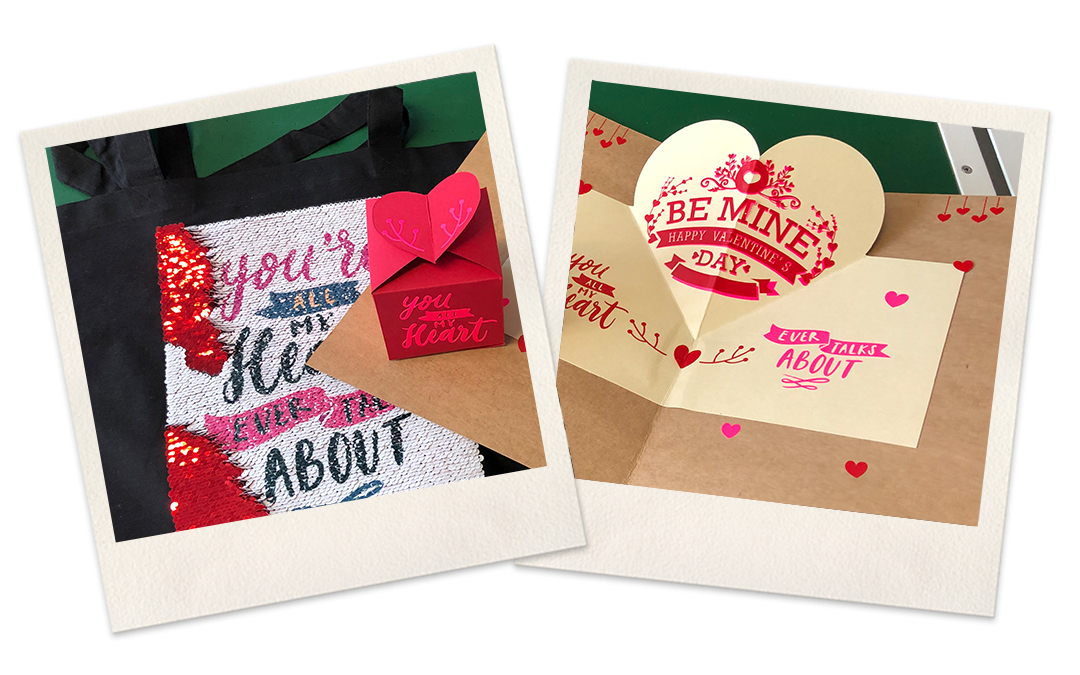
Give your loved one a homemade card or some lovely heart-shaped wrapping!
Valentine’s Day is the one day of the year when you can show your loved ones once again just how much they mean to you. But of course, you can also give them little gifts on any other day.
The Secabo FC100 flatbed cutting plotter with DrawCut PRO, for example, lets you easily make little boxes or pretty cards yourself. It’s quick, straightforward and tailored to your specific needs.
Here we’ll show you just how easy it is to do this with our digital finishing products!
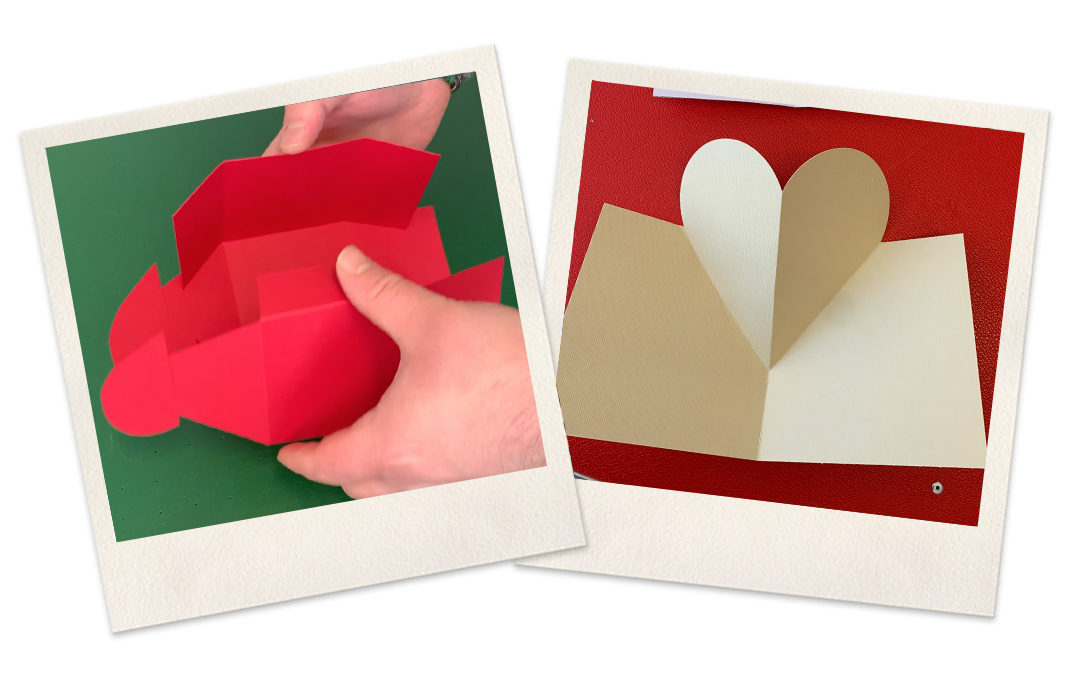
As an example, we’re creating a pop-up card using sublimation sequins and self-adhesive films.
To go with it, we’ll also make a heart-shaped gift box for small gifts.
Pop-up map showing highlights
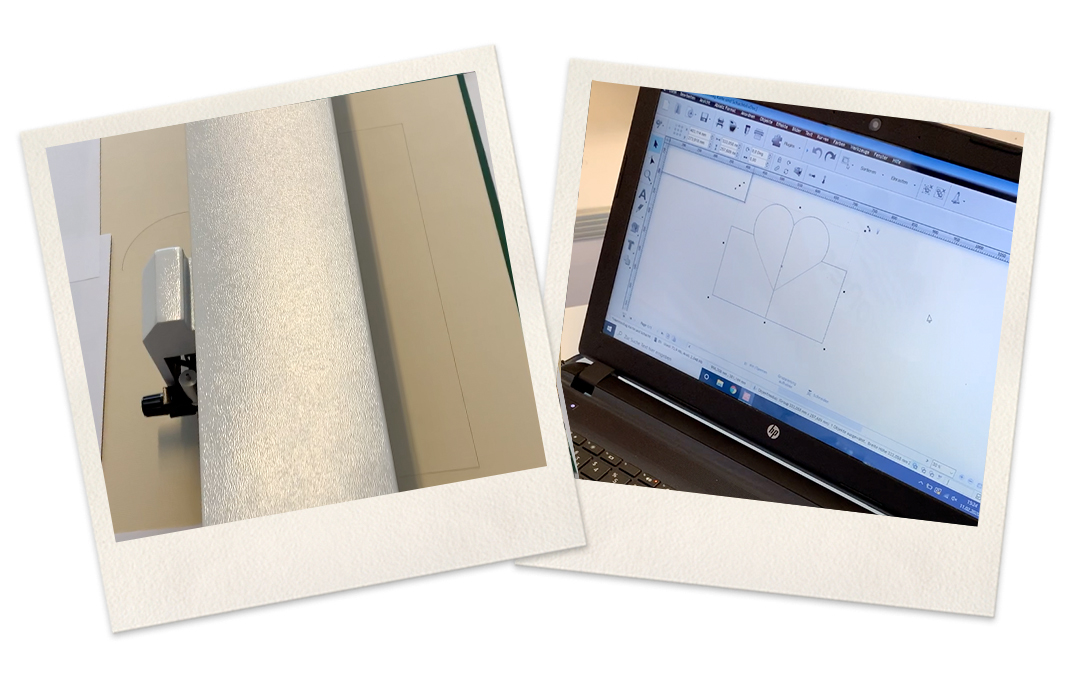
Step 1:
When you purchase a Secabo cutting plotter from our YOW! online shop, you’ll receive the multilingual cutting software DrawCut included with your order . With this software, you’ll be perfectly equipped for your projects. Create your design in a graphics programme of your choice and import the file into DrawCut . Of course, you can also create the design directly within the programme. Settings: It is important here that you enable the vector setting. Now specify which parts are to be cut and which are to be scored. You can mark these very easily and clearly by using different colours. On the right-hand sidebar, you’ll find the knife icon; click on the individual lines there. This allows you to select either ‘Cut Contour’ or ‘Fold Contour’, depending on what is to be scored or cut. Your configured scoring and cutting contours are now saved.
Step 2:
To cut and score the card , we use the Secabo FC100 flatbed cutting plotter; there are a few presets that are important here . In DrawCut PRO, click the knife icon in the top bar and select the correct plotter. Enable the following setting: ‘Sign Tools by Colour’. It is best to score first and then cut the material.
The cutting blade should protrude slightly further than usual, as it needs to cut through the cardboard.
A brief overview of the Secabo FC100 flatbed cutting plotter’s on-screen menus:
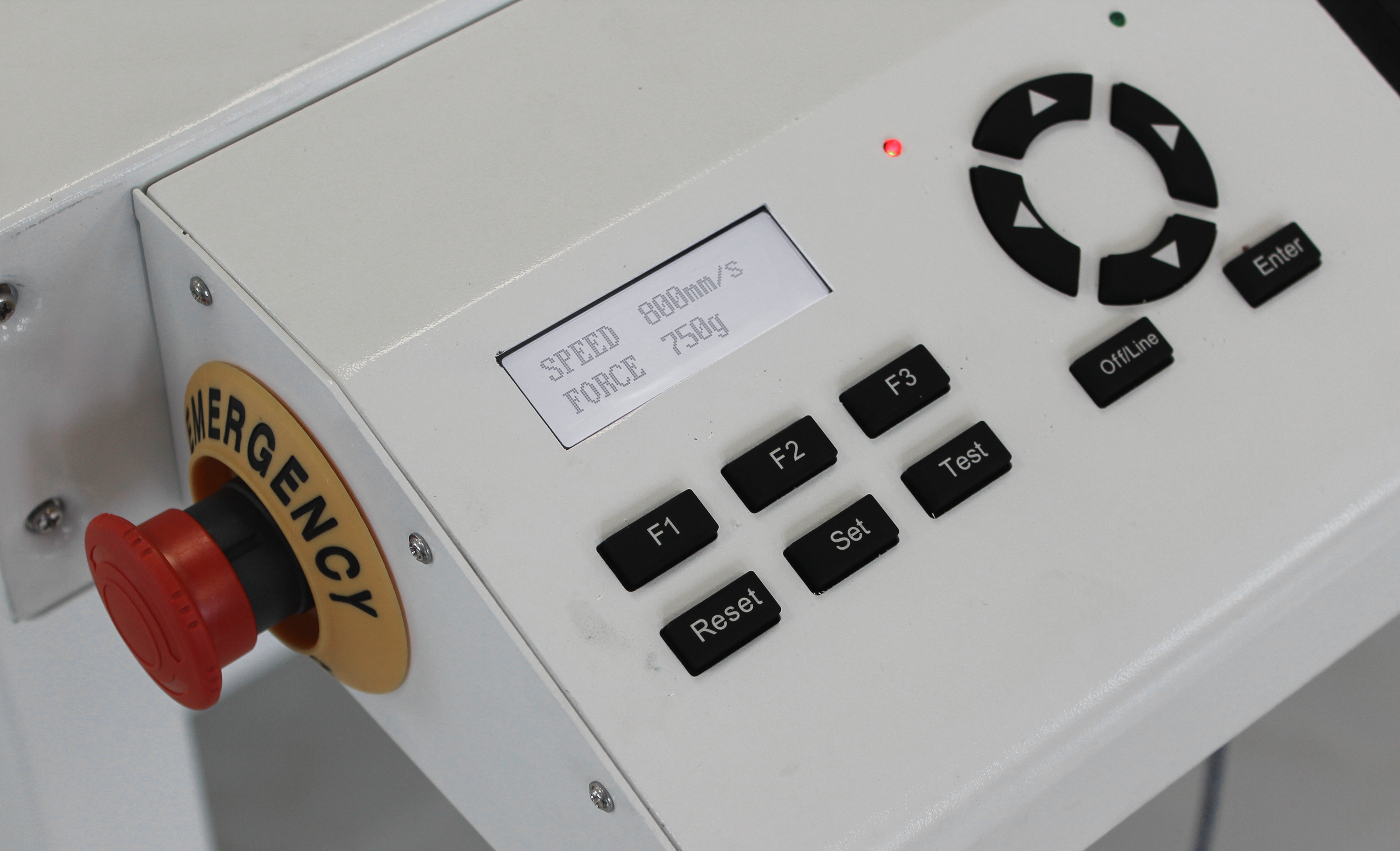
• F1 = Turn ventilation on and off F3 = Turn laser on and off Change zero point = offline
• Change speed = up & down arrow keys Change force = left & right arrow keys
• At Speed1 (maximum value) & Force1, you can adjust the blade settings.
• At Speed (maximum value) & Force, you can carry out the folding/creasing settings.
• Press Enter to check the relevant tool again.
• You should not adjust the other settings; they can always remain the same.
• Finally, press F1 and, on a laptop, click ‘Cut’.
Tip: Test your settings beforehand with a test cut.
Step 3
Now place the card or cardboard on the work surface of the Secabo FC100 flatbed cutting plotter. Switch on the vacuum pump. Position the blade at the desired point where you want to define the origin. Now click on ‘Cut’ in your cutting software – the process will start automatically.
Step 4
Once both products have been cut and scored, it’s time to add the finishing touches to our gifts.
We stick the die-cut folding heart into a larger cardboard box. We then decorate the outside with lovely sayings using our self-adhesive films. We plot these out in various colours using the Secabo T120 II cutting plotter with LAPOS Q.
You can find more information about our Secabo cutting plotters here. If you’re not yet familiar with LAPOS Q, we’ve got an interesting article for you on our blog!
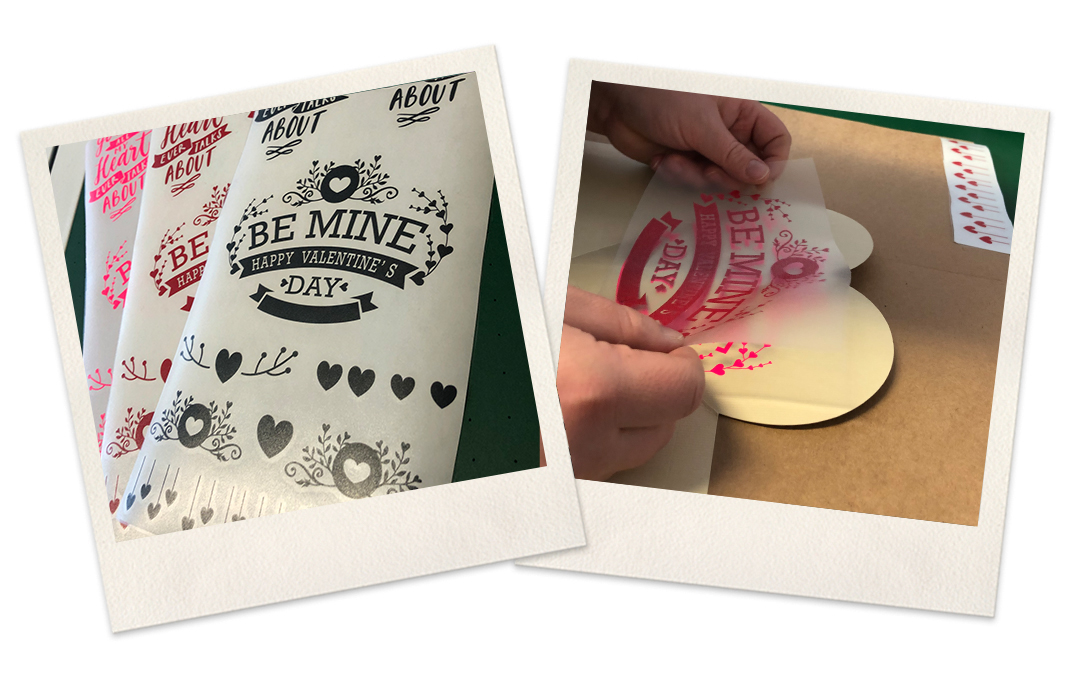
First, the design is weeded, and then we can stick the transfer film onto the self-adhesive film.
Tip: First, stick the transfer film onto the centre of the design film (centre to centre). Only then should you stick the outer edges together. This will help you avoid bubbles.
Now we use a squeegee to press the designs firmly onto the card so that no air bubbles remain visible. Peel off the transfer film.
The same procedure applies to the heart-shaped box. The only difference here is the shape, and you need to be a little more careful if you ’re adding self-adhesive film to the heart-shaped box after it has been folded. You’ll of course find useful aids and tools for weeding or applying adhesive in our YOW! online shop!
As a final step
The sublimation sequins are pressed onto the card. You can take a look at the following blog post for more information: “Everyone loves sparkling reversible sequins!”
You’ve now created a truly personalised gift that you can give to a loved one at any time. Of course, you can also use the Secabo FC100 flatbed cutting plotter to cut out all sorts of other shapes and sizes. There are no limits to your imagination.
We’ll also be showing you all the other things you can do with a flatbed cutting plotter on our Instagram account.
Simply follow us for even more inspiration!
Follow us https://www.instagram.com/yow.textilveredelung/
♥️ YOW SHOP WITH HEART ♥️ Love is all ♥️ Spend at least 25 euros and we’ll give you 10 euros off! Use the code LOVE2020 to take advantage of our fantastic offer until 23 February 2020. We wish you a happy Valentine’s weekend 😍❤️ Do have a look – we’re now on IGTV too. There’s loads of great inspiration there, from gift wrapping and cards right through to super-chic bags with reversible sequins. We’re absolutely blown away by all the things you can do with digital finishing. You can find the hardware for this in our shop: https://www.y-o-w.com/de/flachbett-schneideplotter/ #valentineoffer #valentinesday #valentines #valentines #vday #14february #bemyvalentine #loveday #heattransfer #heatprinting #heatpress #yowshop #giftitems #promotionalitems #crafting #stickers #sticker #label #labels #secabo #flatbed #fc50 #flatbedcutter #vinylcutter #cuttingplotter #plotter #digitalfinishing #paper #papercut