Die-cut stickers in small batches
Die-cut stickers are real eye-catchers that are used in many different areas. We’ll show you how you can easily make them yourself.
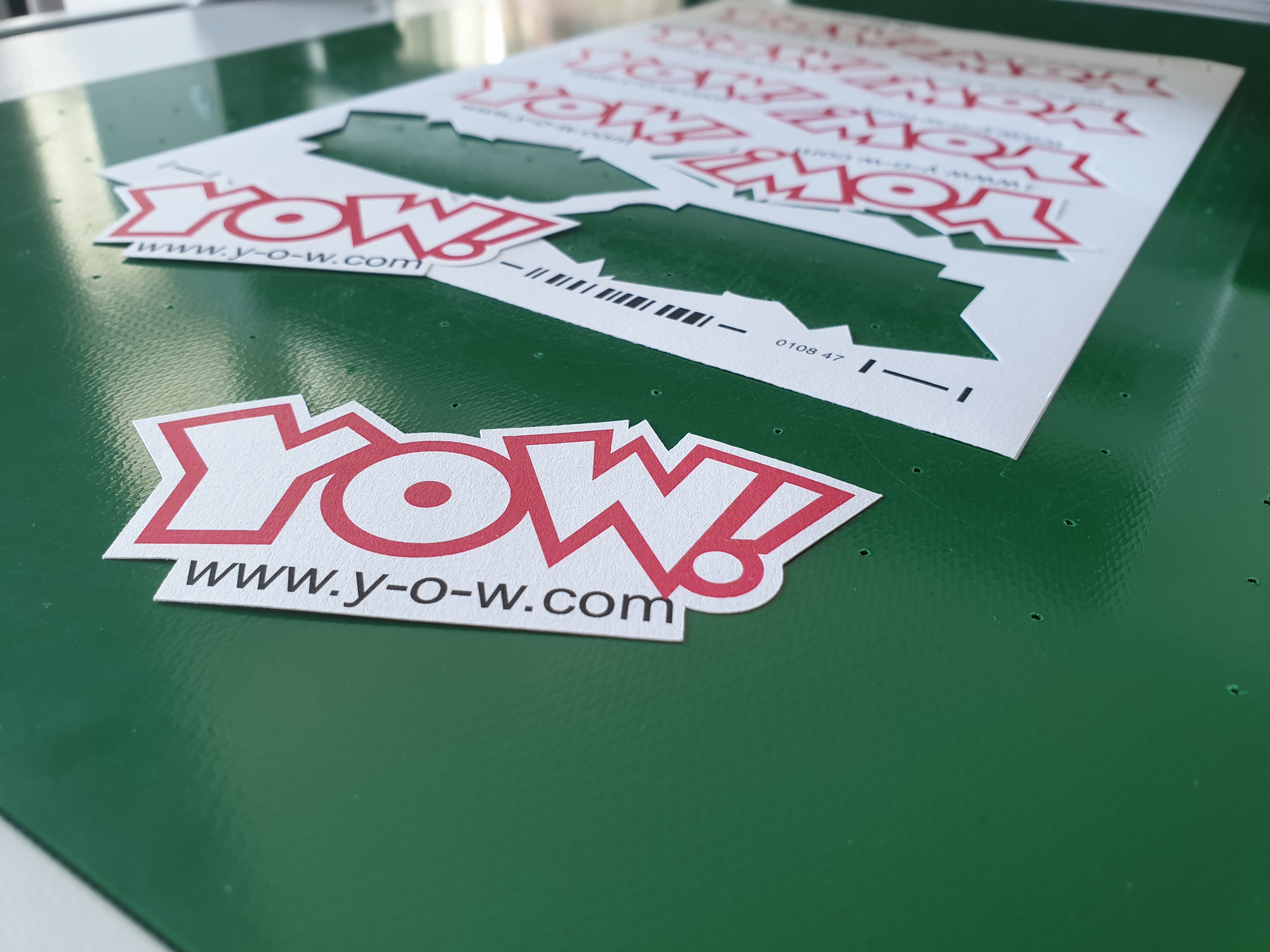
Printing stickers is child’s play and doesn’t cost much. At the same time, stickers – especially those in bright colours – can be real eye-catchers if you add an unusual design or a funny slogan. That’s why they’re ideal as advertising media. In the YOW! online shop, you’ll find not only the consumables but also the hardware you need if you want to design your own stickers.
Ideal advertising media
Stickers can be customised to suit your exact requirements and applied to a wide variety of smooth surfaces. This makes them a particularly versatile medium that allows you to attract targeted attention. For example, use a large-format car sticker to stand out on the road. Or hand out small stickers as promotional gifts to potential customers. This option is particularly popular during election campaigns and for promoting clubs and organisations.
Depending on how long you want your advertising message to remain visible, you can choose between permanent and removable adhesive films. If, for example, you want to draw attention to temporary sales offers, we recommend the KernowPrint transparent adhesive film, which you can easily print with your chosen design and apply to your shop window. Once the promotion is over, the film can be removed easily and without leaving any residue thanks to its low adhesive strength. If, on the other hand, you wish to draw attention to one of your services on a permanent basis, we recommend purchasing permanent adhesive film, such as KernowPrint’s self-adhesive film in transparent gloss. Permanent stickers are particularly suitable for warning signs. In eye-catching signal yellow, they are ideal for highlighting imminent dangers.
Print your own stickers
You can easily print your own stickers if you have the right materials. The printable media available from the YOW! online shop are suitable for laser printing, and some of the polyester films are also suitable for white toner printing. If you’re still looking for a suitable printer, the HP LaserJet Color Pro CP5225dn white toner printer is the ideal choice. This printer also allows you to print larger stickers in A3 format. With Ghost White Toner, you can print on coloured and even black films with ease, which is a great option, particularly for stickers in high-visibility colours. As this is a standard printer, normal black-and-white printing is also no problem.
Die-cut stickers
If you choose transparent adhesive film for your print, it doesn’t really matter what shape it is. You can hardly see the edges anyway. The situation is different for stickers on white or coloured adhesive film. With many designs, it would be a real shame to always have to resort to the standard rectangular shape. Warning stickers, in particular, are usually diamond- or triangle-shaped. This is where the Secabo SC30 sheet-fed cutting plotter comes into its own. Even complex shapes and small designs are no problem thanks to theDrawCutProcutting software included in the package. Equipped with the Lapos Q registration mark recognition system, stickers and labels in any shape can be cut out with precise contours. At the start of each sheet, a barcode containing the identification code for the corresponding cutting job is scanned alongside the registration marks. This makes it possible to mix sheets with different cutting jobs without any user intervention. As the SC30 reliably feeds individual sheets automatically from a stack of up to 50 sheets, operation is particularly convenient and requires virtually no effort.
Fully die-cut, contour-cut stickers
Stickers used as promotional giveaways also generally look better when they are round or oval in shape. Cutting these to size yourself with a pair of scissors is not only very time-consuming, but also looks rather unprofessional. This is where the FC50 or FC100 flatbed cutting plotters can help. They reliably cut substrate-free materials such as card and heavy-duty paper to the desired shape, or cut right through stickers to the exact outline required. The multilingual cutting software DrawCut PRO and the successful multi-registration mark recognition system LAPOS Q are included in the package and guide you, in an easy-to-understand way, to professional results.
> Click here to view the Secabo SC30 sheet-fed cutting plotter in the YOW! Shop
> Click here to view the Secabo FC50 and FC100 flatbed plotters in the YOW! Shop