Stunning mugs with sublimation printing, thanks to the new Secabo TM2 and TM5 mug presses!
Secabo has now launched two new cup presses. We’ll show you everything the TM2 and TM5 cup presses can do.

Sublimation printing is a unique transfer process that allows custom designs to be transferred onto all kinds of materials. Sublimation printing on mugs has been particularly popular for several years now. With the new mug presses from Secabo, this process will be even quicker and more convenient in future. This autumn, Secabo launched two mug presses – the TM2 and the TM5 – which allow you to print on several mugs at the same time. On the YOW! blog, we’ll introduce you to these machines and explain how you can easily print on mugs yourself.
Printing on mugs using sublimation printing: What you need to know
Sublimation is a physical process in which a solid transitions directly into a gaseous state without first turning into a liquid. Various transfer processes make use of this principle. They use special sublimation ink containing solid pigments which, when exposed to heat, penetrate a surface and become permanently locked in once cooled. However, this only works on polyester surfaces. For this reason, not every standard mug available on the market is suitable for sublimation printing. Although sublimation mugs are also made of ceramic, they have an additional polyester coating, which is what makes sublimation printing possible in the first place. In the YOW! online shop, you’ll find a wide selection of sublimation mugs, water bottles and jugs.
The Secabo TM2 mug press
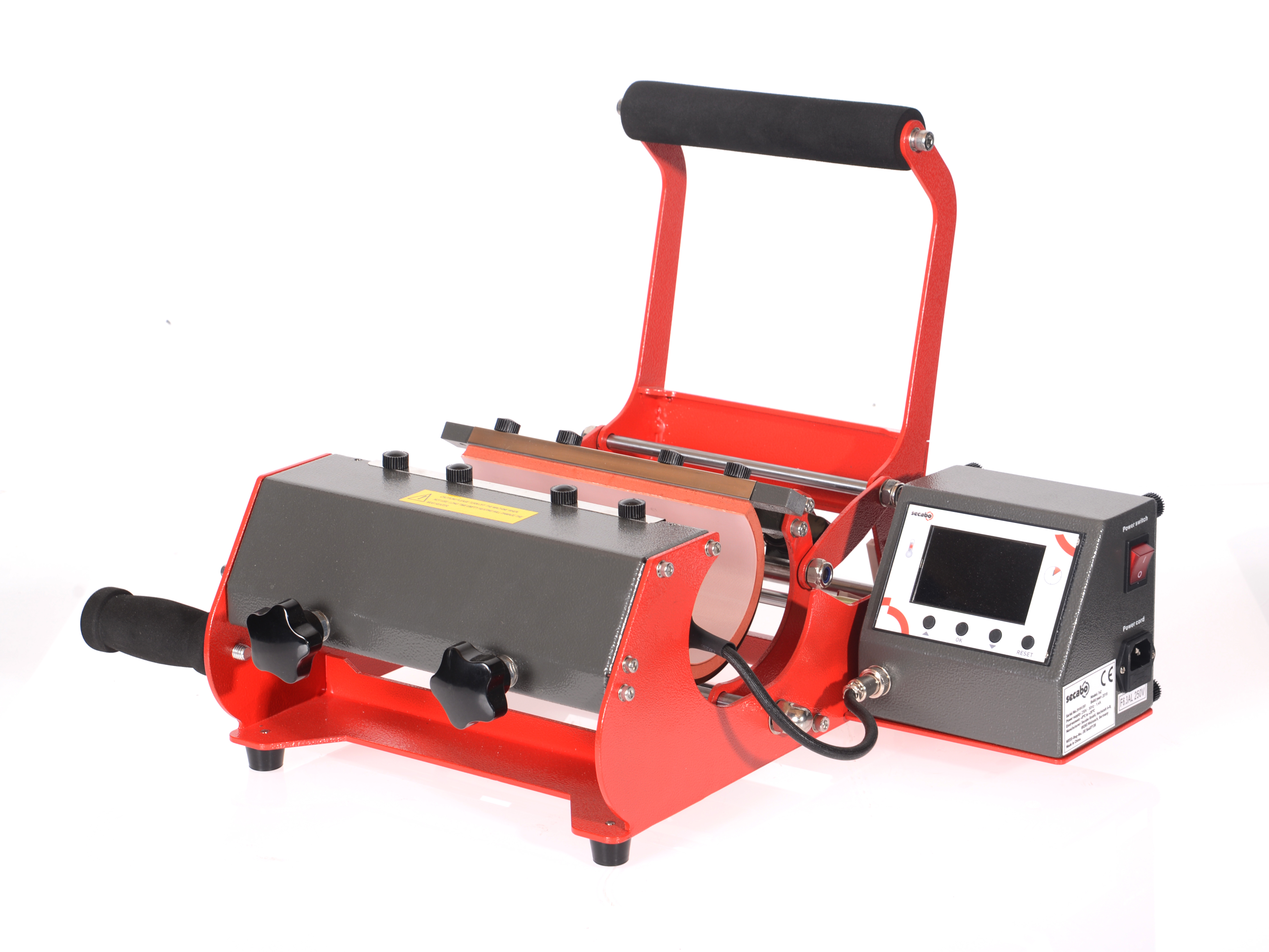
Until now, Secabo has offered its customers the TM1 mug press, a compact model that delivers reliable, high-quality results for small batch sizes. However, the new TM2 and TM5 models are particularly well-suited to high-volume production runs. These have been specifically developed to meet the demands of professional signmakers handling larger quantities.
For example, the Secabo TM2 can print ontwo mugs simultaneously. The digital controller allows for quick and easy operation. Temperature, time and contact pressure can be individually adjusted. At the same time, the number of press cycles already completed is automatically counted, but can be reset to zero if required. The machine features a large heating element that can easily accommodate a very large mug, a (beer) tankard or two standard mugs at the same time. The standard heating sleeve, measuring 220 x 230 mm, is included as standard. However, heating sleeves for mugs of other sizes and shapes are also available. This means that even conical mugs and small espresso cups can be printed on without any problems.
The Secabo TM5 mug press
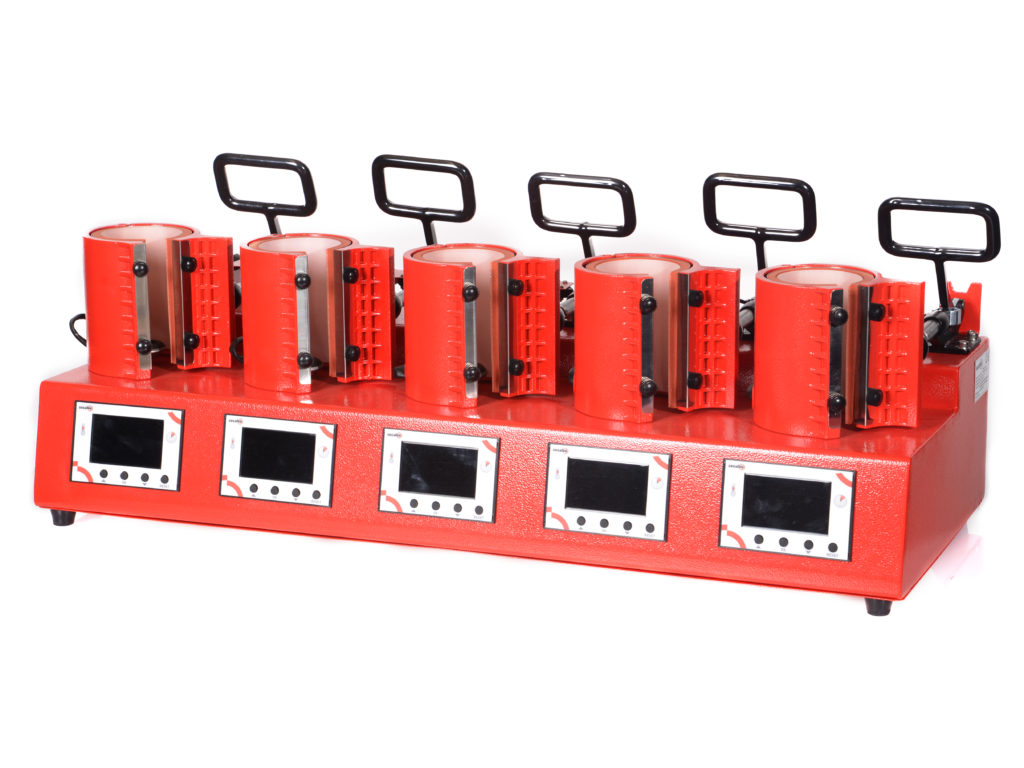
This high-performance TM5 allows you to print on five mugs at the same time. The great thing about it is that each mug is placed in its own heating element, which can be controlled individually. This means that the temperature, time and contact pressure can be set individually for each mug. Nevertheless, the transfer process can be carried out simultaneously for all mugs. This enables maximum productivity with minimal effort, making the Secabo TM5 the ideal mug press for professional promotional printing. We explain the best way to proceed in the following step-by-step guide.
Printing on mugs using one of the Secabo mug presses: Here’s how
You will need:
- Sublimation printers, e.g. Sawgrass Virtuoso SG500
- Sublimation paper
- 1–5 sublimation mugs
- Heat-resistant adhesive tape
- Scissors
- Secabo mug press of your choice
Step 1: Create your desired graphic
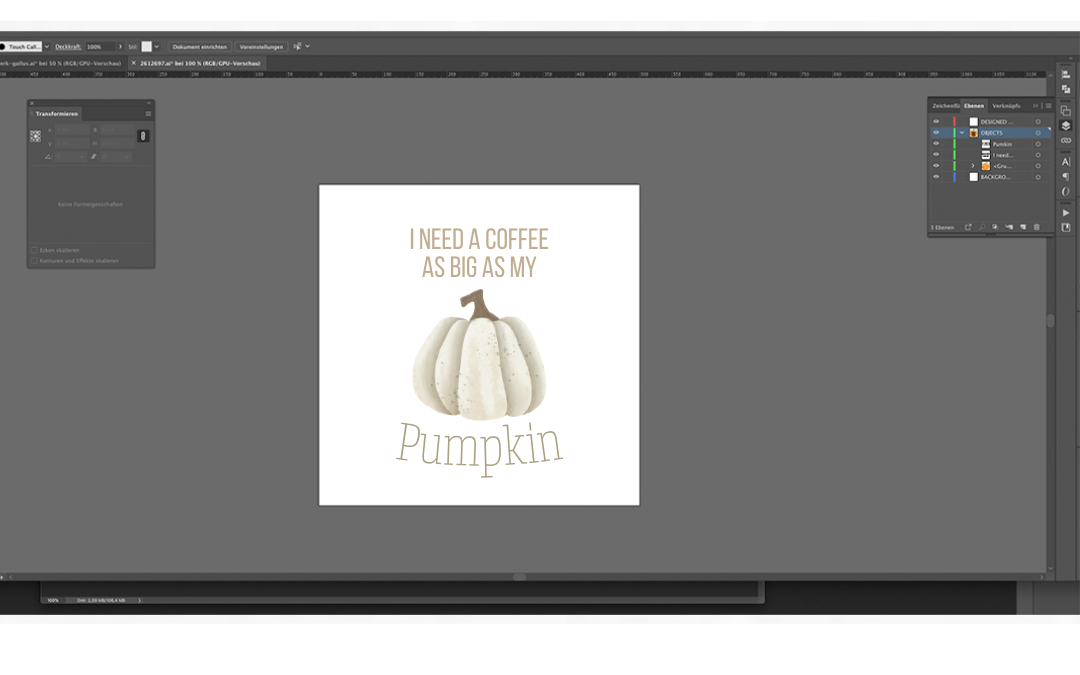
If you want to print on mugs using the sublimation process, you must first create your desired design on the computer and print it onto sublimation paper using a sublimation printer (e.g. Sawgrass Virtuoso SG500). Don’t be put off by the fact that the colours on the paper initially look pale and dull. This is due to the special surface of the transfer paper. Once transferred to the mug, the print will impress with its colour vibrancy and brightness.
Step 2: Fix the design onto the mugs
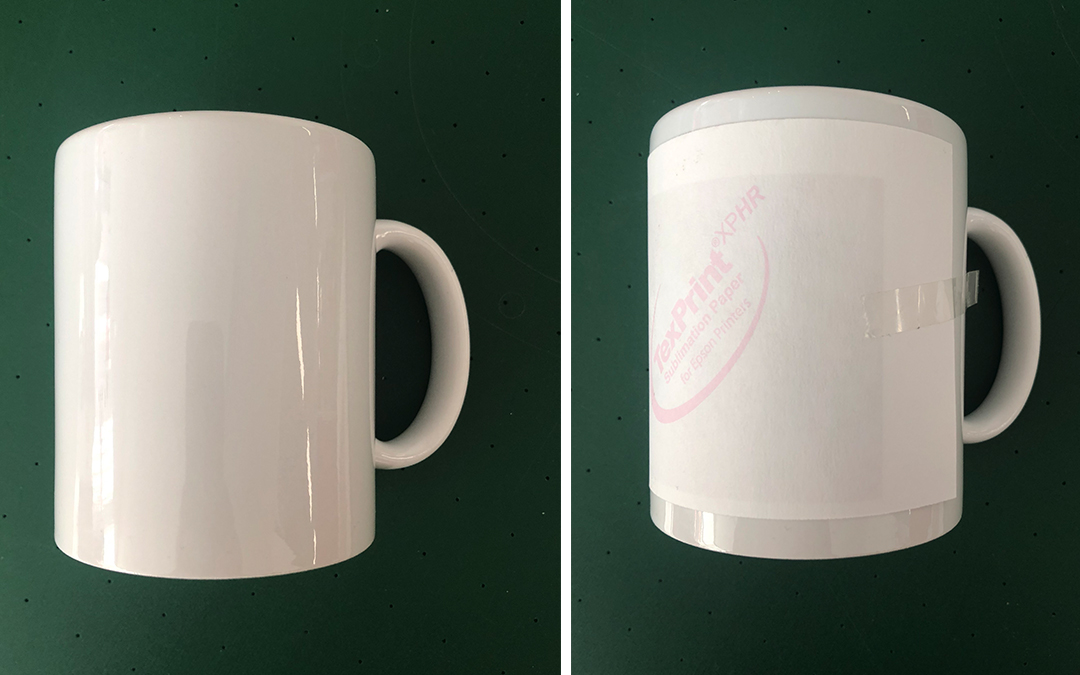
Now cut out the design as straight as possible. Using a paper cutter will ensure precise, professional results. For hobby use, a standard pair of scissors will suffice. Now position the transfer paper in the centre of the mug and secure it with heat-resistant tape, taking care to avoid creases as much as possible.
Warning: Please never use ordinary sticky tape to secure the transfer. It will melt under the intense heat and could damage the mug. It is best to use heat-resistant adhesive tape to secure transfers for sublimation printing; you can find it here.
Step 3: Printing on mugs
Now heat all the cup elements you need to 200°C and set the transfer time to 180 seconds. Once the desired temperature has been reached, you can insert the cups, close the press and start the transfer process. To preserve the heating elements, only heat the mug elements that are actually going to be used. You will notice below that the temperature on the digital display drops initially. This happens because the mug must first be heated up before the actual printing can take place. A beep signals the end of the transfer process.
Step 4: Rinse the cups under cold water
Once the transfer printing process has been successfully completed, you can remove the finished mugs. Rinse them immediately under water that is as hot as possible. This will prevent unsightly cracks in the surface and ensure crisp, vibrant results. Then leave your mugs to cool briefly – and they’ll be ready for their first use!
YOW! wishes you every success!
For further information and advice, please contact us on +49 (0) 8442 95840-40 or emailmail@y-o-w.com