FlexiStarter for Windows on Mac OS X using VMware Fusion
The FlexiStarter cutting software for Windows was supplied free of charge with your Secabo cutting plotter. If you are working on a Mac and wish to use the software there, you will need a virtual Windows machine. Here, using VMWare Fusion as an example, we will show you how to control your Secabo cutting plotter with FlexiStarter on macOS.
First, install VMware and a compatible Windows 7 operating system. You can then install the FlexiStarter software within this Windows environment. Simply follow the instructions as described in the user manual for Windows.
It is important that the security dongle is not plugged in during installation.
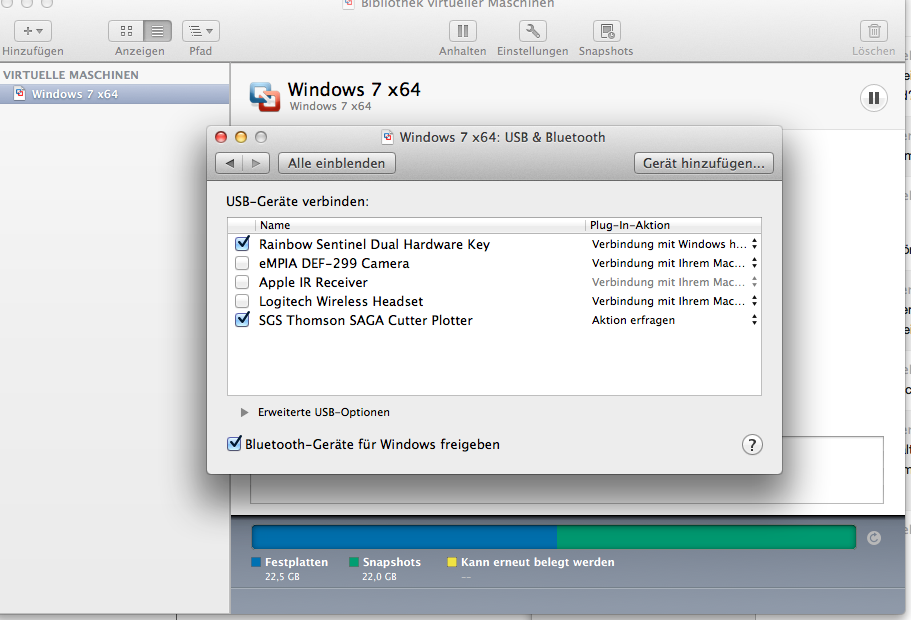
Once you have connected the cutting plotter and the security dongle whilst Windows is running, VMware will ask you whether the new devices should be connected to macOS or Windows. Select the option to connect the devices to Windows.
This can also be configured later in the virtual machine settings in VMware. The devices with a tick next to them are those connected to Windows.
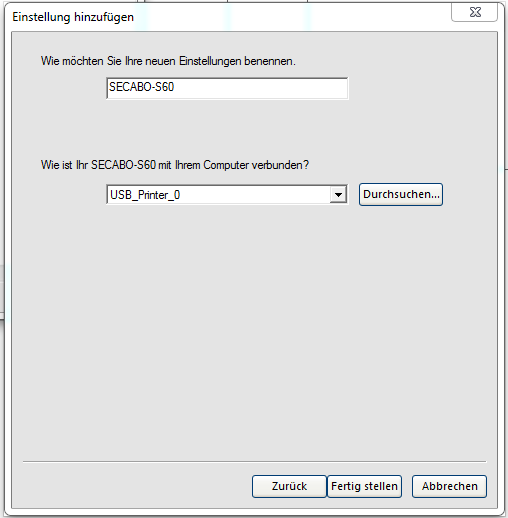
In FlexiStarter on Windows, you should now proceed in exactly the same way as you would on a native Windows computer and as described in the user manual. Select USBPrinter_0 as the connection